
Best WordPress Plugins for Speed Optimization in 2026
Introduction
Website speed has become one of the most important ranking factors in 2026. If your WordPress website loads slowly, visitors may leave before even viewing your content. As a result, your bounce rate increases, user experience becomes poor, and Google rankings can drop significantly. Therefore, optimizing your website speed is no longer optional – it is essential.
Fortunately, WordPress offers many powerful plugins that can dramatically improve loading time, boost performance, and enhance overall user experience. Moreover, these plugins help reduce server load, optimize images, cache files, and improve core web vitals.
In this article, we will explore the best WordPress plugins for speed optimization in 2026. Additionally, you will learn how these plugins work and why they are important for SEO success.
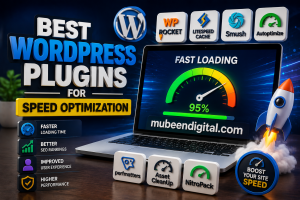
Why Website Speed Matters for SEO
Before discussing the plugins, it is important to understand why website speed matters.
A fast-loading website offers several benefits, including:
- Better Google ranking
- Improved user experience
- High conversion rates
- Lower bounce rates
- Faster mobile performance
- Better Core Web Vitals scores
Furthermore, Google now prioritizes websites that load quickly on both desktop and mobile devices. Consequently, businesses with optimized websites often gain more organic traffic than slow competitors.
1. WP Rocket
Best Premium Caching Plugin
WP Rocket is one of the most popular WordPress speed optimization plugins available today. It is beginner-friendly, powerful, and highly effective.
Unlike many other plugins, WP Rocket starts working immediately after activation. In addition, it includes advanced performance features without requiring complex setup.
Key Features
- Page caching
- Browser caching
- ZIP compression
- Lazy loading
- Database optimization
- CSS and JavaScript minification
- CDN integration
Why WP Rocket is Great
Because of its simplicity and excellent performance, WP Rocket is ideal for beginners and professionals alike. Moreover, it significantly improves Google PageSpeed scores.
Although it is a premium plugin, the performance improvements make it worth the investment.
2. LiteSpeed Cache
Best Free Speed Optimization Plugin
Litespeed Cache is another excellent plugin for improving WordPress speed. It works especially well with Litespeed servers.
However, even if your hosting provider does not use LiteSpeed technology, many optimization features still remain useful.
Key Features
- Server-level caching
- Image optimiztaion
- Database cleanup
- CSS and JavaScript optimization
- Lazy loading
- CDN support
Advantages of LiteSpeed Cache
One major advantage is that it offers premium-level features completely free. Furthermore, it includes a built-in image optimization system that helps reduce page size.
As a result, the website can load much faster without sacrificing quality.
3. Autoptimize
Best Plugin for File Optimization
Consequently, your website becomes lighter and faster.
Key Features
Why Use Autoptimize
If your website contains heavy scripts and stylesheets, Autoptimize can greatly improve performance. Additionally, it works well alongside caching plugins such as WP Rocket.
Therefore, many website owners combine both plugins for maximum speed optimization.
4. Smush
Best Image Optimization plugin
Smush is one of the best plugins for compressing and optimizing images.
Since large images often slow down websites, image optimization becomes extremely important for performance.
Key Features
- Automatic image compression
- Lazy loading
- Bulk image optimization
- WebP conversion
- Image resizing
Benefits of Smush
Optimized images load faster while maintaining high quality. Furthermore, Smush automatically compresses images during upload, saving time and effort.
As a result, your website speed improves significantly
5. Perfmatters
Best Plugin for Advanced Performance Tweaks
Permatter is a lightweight plugin designed to remove unnecessary WordPress features that slow down websites.
Unlike traditional caching plugins, Perfmatter focuses on reducing bloat.
Key Features
- Disbale unused scripts
- Reduce HTTP requests
- Disable emojis
- Disable XML-RPC
- Local Google Analytics hosting
Why Perfmatters is Useful
Many WordPress websites load scripts that are not actually needed. Therefore, Perfmatter helps reduce unnecessary resources and improve loading speed.
Moreover, it is lightweight and does not consume many server resources.
6. Asset CleanUp
Best Plugin for Removing Unused CSS and JavaScript
Asset CleanUp helps remove unused CSS and JavaScript files from pages where they are not needed.
For example, if a contact form plugin loads on every page, Asset CleanUp can disable it except on the contact page.
Key Feature
- Remove unused scripts
- Reduce page size
- Minify files
- Improve page loading time
Benefits
Because fewer files are loaded, your website becomes faster. Additionally, reducing HTTP requests improves Core Web Vitals performance.
7. NitroPack
All-in-one Speed Optimization Solution
Nitropack is a cloud-based optimization tool that combines caching, image optimization, and CDN services into a single platform.
Key Features
- Global CDN
- Automatic caching
- Image optimization
- Code minification
- Lazy loading
Why NitroPack is Popular
NitroPack can dramatically increase pageSpeed scores with minimal setup. Furthermore, it automates most optimization tasks.
Therefore, it is ideal for users who want fast results quickly
Tips for Improving WordPress Speed
Besides using plugins, you should also follow these important optimization practices:
Choose Fast Hosting
Good hosting plays a major role in website performance. Therefore, selecting reliable hosting is extremely important.
Use a lightweight Them.e
Heavy themes can slow down your website. Instead, choose optimized themes designed for speed.
Optimize Images
Large images consume more bandwidth. Consequently, compressed images improve loading speed.
Enable CDN
A content delivery network helps deliver website content faster worldwide.
Keep Plugins Updated
Outdated plugins may reduce performance and create security issues.
Which Plugins are Best for You?
The best plugins depend on your website’s needs.
Here are some recommendations:
- For beginners: WP Rocket
- For free optimization: LiteSpeed Cache
- For image optimization: Smush
- For script management: Asset Cleanup
Additionally, carefully combining multiple optimization plugins can deliver even better results.
Conclusion
Website speed optimization is essential for SEO success in 2026. A fast-loading website improves user experience, increases conversions, and helps achieve higher Google rankings.
Fortunately, WordPress has great plugins that make optimization easy.
You can choose from plugins like WP Rocket, LiteSpeed Cache, Autoptimize, or Smush.
Each of these plugins provides features to improve your website’s performance.
However,r to get the results you need to combine good hosting, optimized images, lightweight themes, and proper caching.
This means using these tools and techniques can really help boost your website’s speed and SEO.
If you want to stay ahead of your competitors, then making your WordPress site faster should be your top goal.
Investing in WordPress speed optimization is really important.
It helps your site load faster. Improves your search engine rankings.
You can use WordPress plugins like WP Rocket to optimize your site.
These plugins offer features like caching and image optimization.
They help make your site and improve your SEO performance with WordPress.