
A Complete Guide to : Google Search Console
The Google Search Console Guide is a complete SEO resource for beginners who want to improve website rankings, fix technical issues, and increase organic traffic. This guide explains how to use Google Search console step by step in a simple and professional way.
Moreover, this Google Search Console Guide will help you understand how search engines see your website and how you can improve your visibility in Google Search. It is one of the most important tools provided by Google for website owners, blogger, and digital marketers.
In addition, this guide is designed for beginners in 2026 so that even a non-technical user can easily understand and apply SEO strategies.
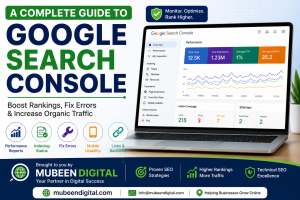
What is Google Search Console?
Google Search Console is a free SEO tool that allows website owners to monitor and maintain their website presence in Google Search results. it provides valuable insights about indexing, keyword performance, click, impressions, and technical SEO issues.
Moreover, it helps you understand how Google views your website. Therefore, you can make better SEO decisions based on real data instead of guessing.
In simple words, Google Search Console is like a control panel for your website performance in search engines.
Why Google Search Console is Important for SEO
The Google Search Console Guide is important because it helps you improve your website performance step by step using real data from Google.
Better Understanding of Website Traffic
Firstly, you can track how many ysers visit your website from Google Search. In addition, you can see which pages are performing well.
Keyword Performance Tracking
Moreover, Google Search Console shows which keywords bring traffic to your website. As a result, you can optimize those keywords for better rankings.
Fixing SEO Errors
However, many websites have indexing and crawling issues. Therefore, this tool helps you identify and fix those problems quickly.
Improving Search Rankings
Finally, when you fix SEO issues and optimize content, your website has a better chance of ranking higher in Google search results.
How to Set Up Google Search Console
Setting up Google Search Console is simple, but it is very important for SEO success.
Step 1-Add Your Website
First, go to Google Search Console and sign in with your Google account. Then, add your website URL or domain.
Step 2 – Verify Ownership
After that, you must verify that you own the website. this step is important for security and adat access.
You can verify using:
- DNS record
- HTML file upload
- Meta tag method
- Google Analytics
Moreover, DNS verification is the most recommended method because it provides full domain access.
Step 3 – Submit Sitemap
Next, submit your XML sitemap so Google can crawl your website faster.
Example sitemap URL:
AS a result, Google can index your pages more efficiently.
Key Features in Google Search Console Guide
The Google Search Console Guide include several powerful features that help improve SEO performance.
Performance Report
The performance Report shows:
- Total clicks
- Total impressions
- Average CTR
- Average position
Moreover, this data help you understand how users interact with your website in search results.
URL Inspection Tool
This tools allows you to check whether a page is indexed or not. in addition, you can request indexing for new or updated pages.
Index Coverage Report
The Index Coverage Report shows which pages are indexed and which pages have errors. Therefore, you can fic issues quickly.
Core Web Vitals
Core Web Vitals measure website speed, responsiveness, and visual stability. As a result, improving these metrics can increase rankings.
Mobile Usability Report
Since most users browse on mobile devices, this report helps you identify mobile-related issues. Moreover. fixing them improves user experience.
Links Report
This report shows internal links and backlinks. in addition, strong backlinks improve website authority and ranking
Common Problem and Solutions in Google Search Console
Many beginner face issues while using Google Search Console. However, these problem can be fixed easily.
Page Not indexed
This errors mean Google has not added your page to search results.
Solution:
Firstly, check robots.txt file. Moreover, remove noindex tags and submit the page again.
Crawled but Not Indexed
Google Visited your page but did not index it.
Solution:
Therefore, improve content quality, add more information, and increase inernal links.
Mobile Usability Issues
If your site is not mobile-friendly, ranking can drop.
Solution:
In addition, use responsive design and optimize font size and layout.
Mobile Usability Issues
If your site is not mobile-friendly, rankings can drop.
Solution:
In addition, use responsive design and optimize font size and layout.
Core Web Vitals Issues
Slow website reduce user experience.
Solution:
AS a result, compress images, use caching, and improve hosting speed.
How Google Search Console Guide Improves SEO
The Google Search Console Guide plays a very important role in SEO improvement.
Keyword Optimiztaion
Firstly, it helps you find high-performing keywords. Moreover, you can optimize content based on real search data.
Improve Click-Through Rate (CTR)
In addition, you can improve titles and meta descriptions to increase clicks.
Fix Technical SEO
However, technical issues can stop ranking growth. Therefore, fixing them is essential.
Discover Ranking opportutnities
Finally, you can find pages ranking on page 2 or 3 and optimize them for better results.
Best SEO Practices for Google Search Console Guide
Use Focus Keyphrase Naturally
Use Google Search Console Guide in:
- Title
- Introdution
- Headings
- Meta description
- content naturally
Use Transition Words
Moreover, use transition word like:
- Therefore
- In addition
- However
- As a result
- Firstly
- Finally
Update Old Content
Firstly, update old blog posts regularly to maintain rankings.
Improve internal Linking
In addition, content related pages to improve SEO structure.
Monitor Reports Weekly
Therefore, checking reports regularly helps you catch SEO issues early.
Common SEO Mistake to Avoid
Keyword stuffing
However,repeating keywords too much can harm ranking.
Ignoring Errors
Moreover, ignoring indexing errors can reduce website trafiic.
Poor Mobile Experience
In addition, non-mobile-friendly website lose ranking.
Weak Content Quality
Finally, low-quality content does not rank well in Google.
Final Thoughts
The Google Search Console Guide is one of the most powerful SEO resources for beginner in 2026. Moreover, it helps you track performance, fix errors, and improve ranking step by step.
As a result, if you use Google Search Console properly and follow this guide, your website can grow faster, rank higher, and get more organic traffic.
In conclusion, this Google Search Console Guide is essential for anyone serious about SEO success.
Learn A Complete Guide to Google Search Console for beginners in 2026. Setup steps, indexing tips, SEO reports, and ranking improvement explained simply.